

Configure Levels
Build verification flows tailored to your compliance requirements.
Create verification Levels that combine Document Verification, Face Liveness, and AML Screening steps in the order that suits your business needs.
Creating a New Level
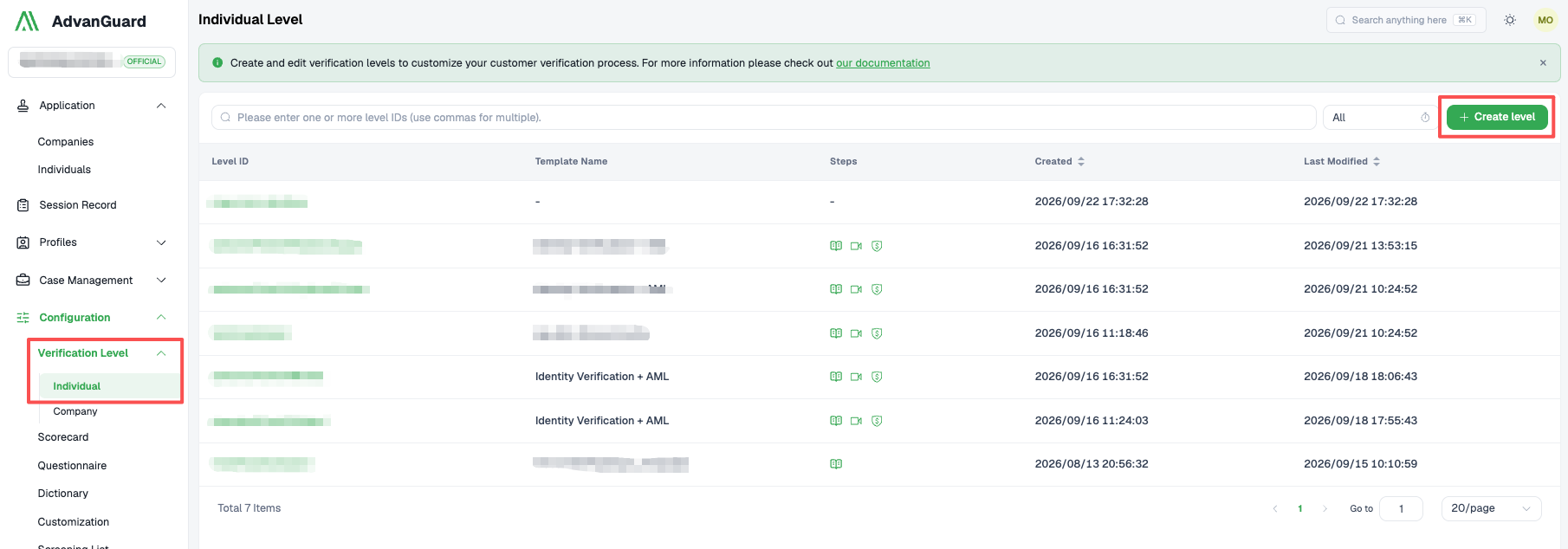
Creating a New Level
Step 1: Define Level Basics
Provide the following information for your Level:
- Level ID — A unique identifier for this verification Level
- Template name — A template name displayed in your dashboard
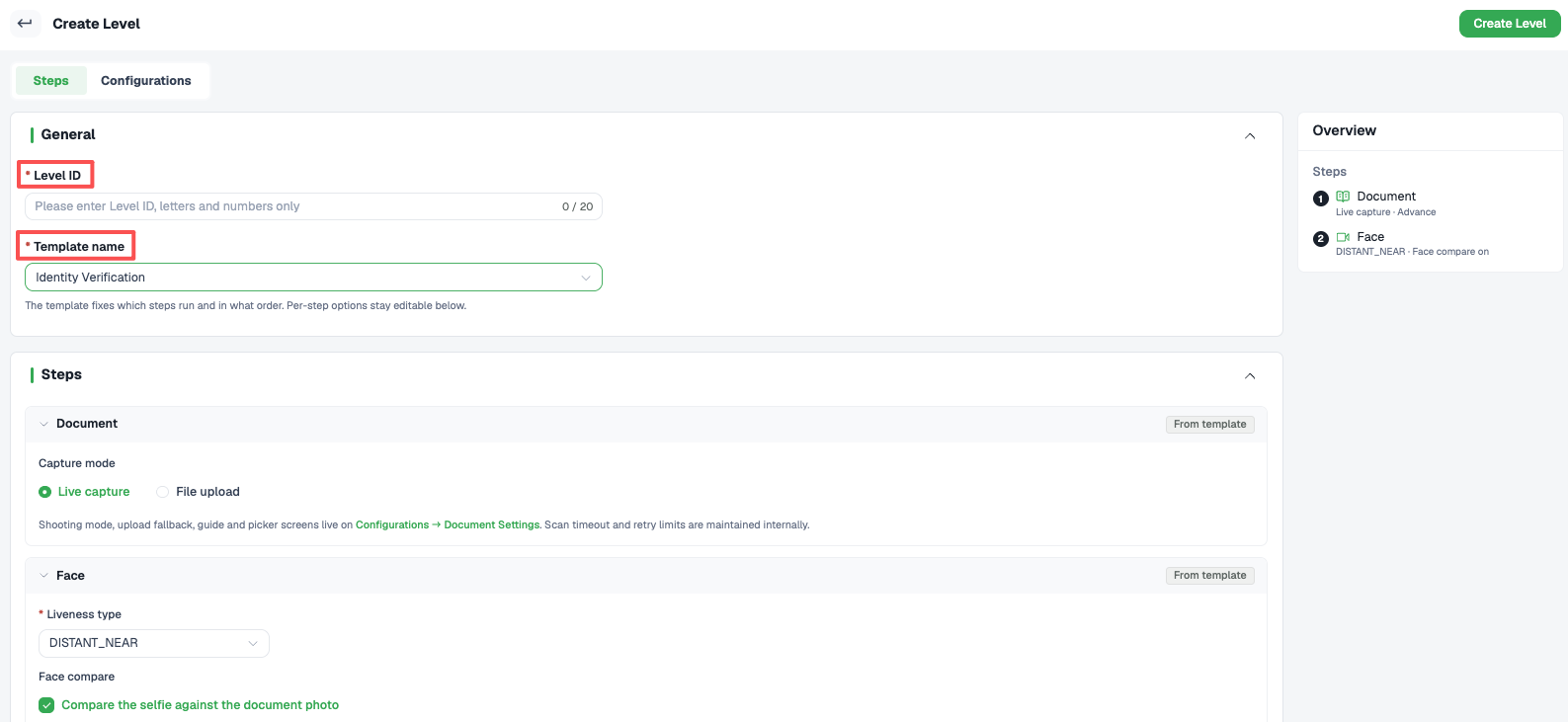
Define Level Basics
Step 2: Configure Verification Steps
View corresponding steps after selecting different template names.
Available steps:
- Document
- Face
- AML
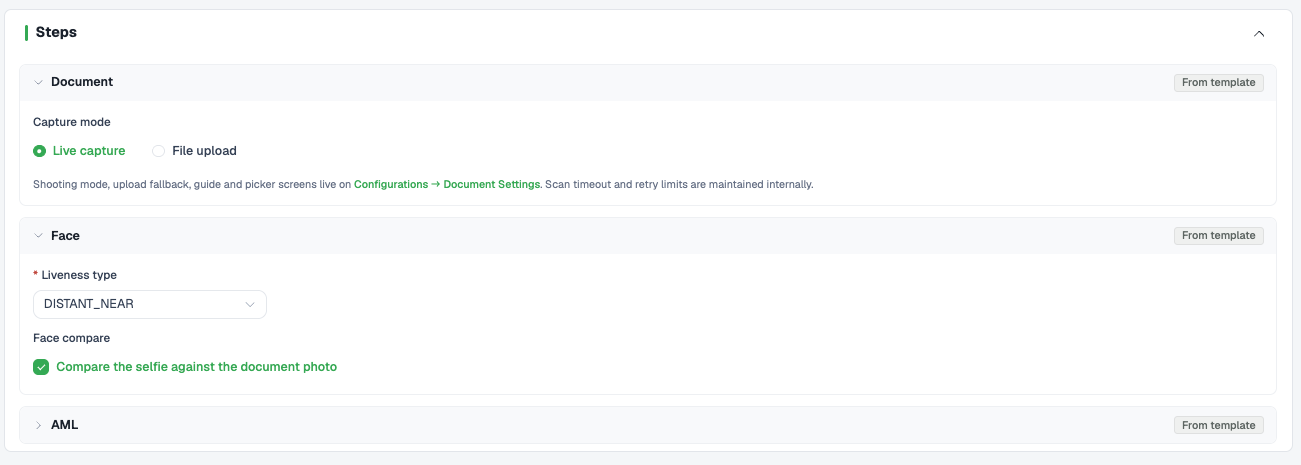
Configure Verification Steps
Configure each step:
Document Settings:
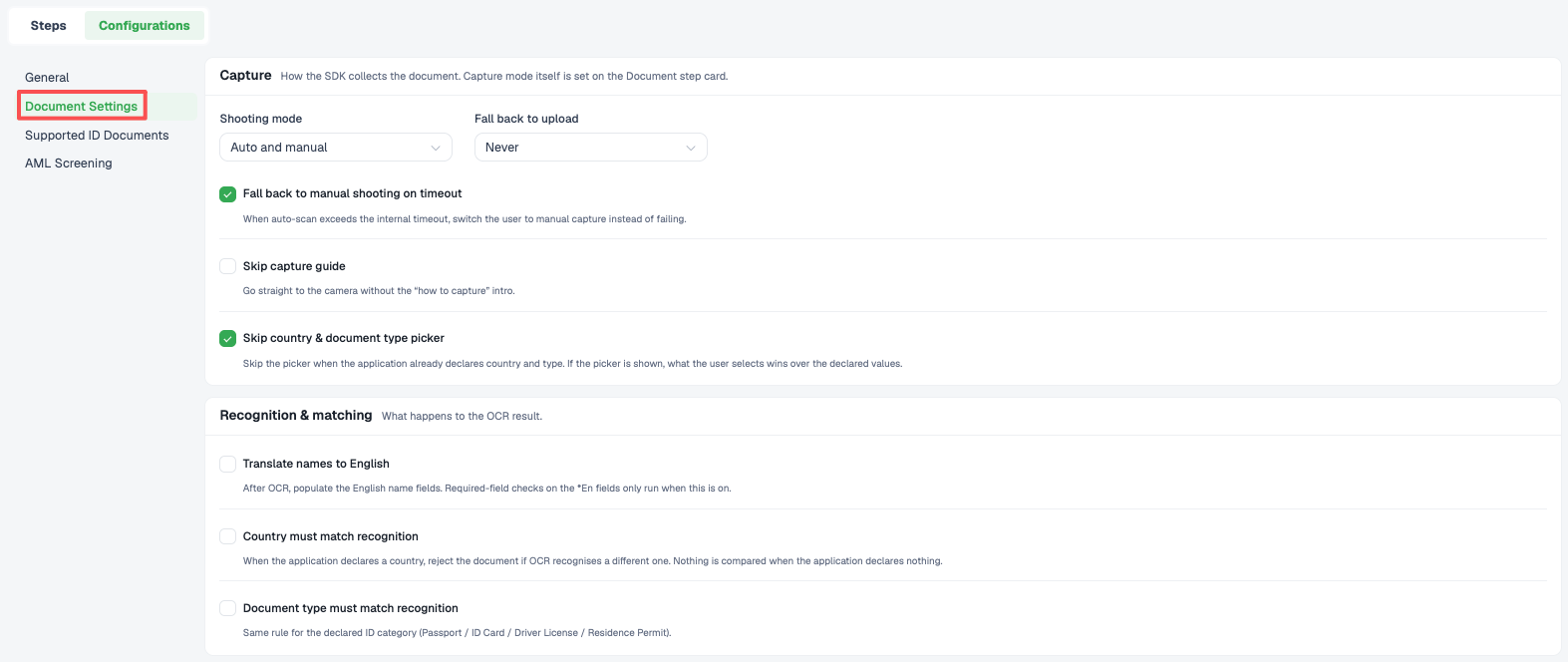
Document Settings
Supported ID Documents
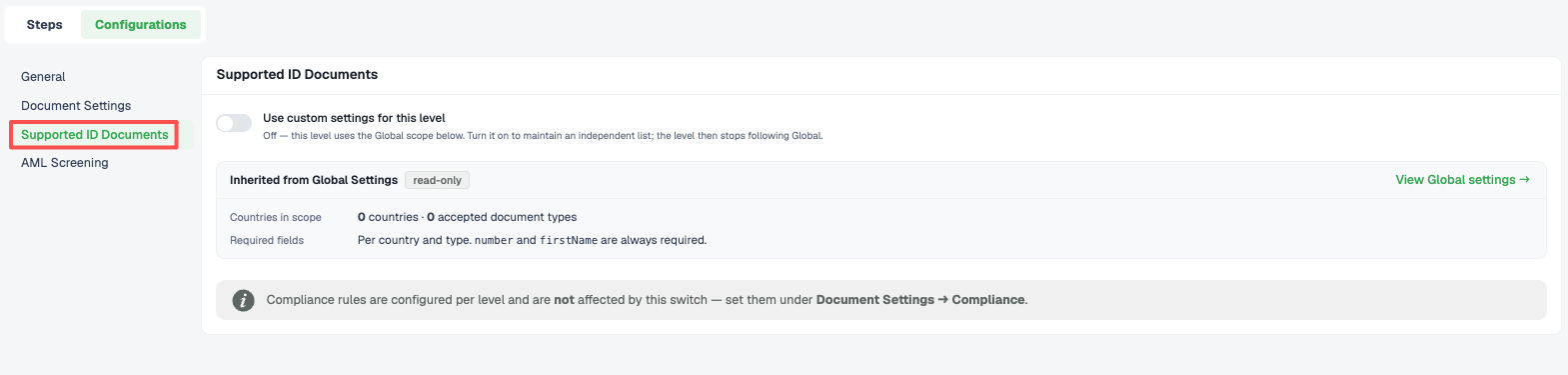
Supported ID Documents
AML Screening
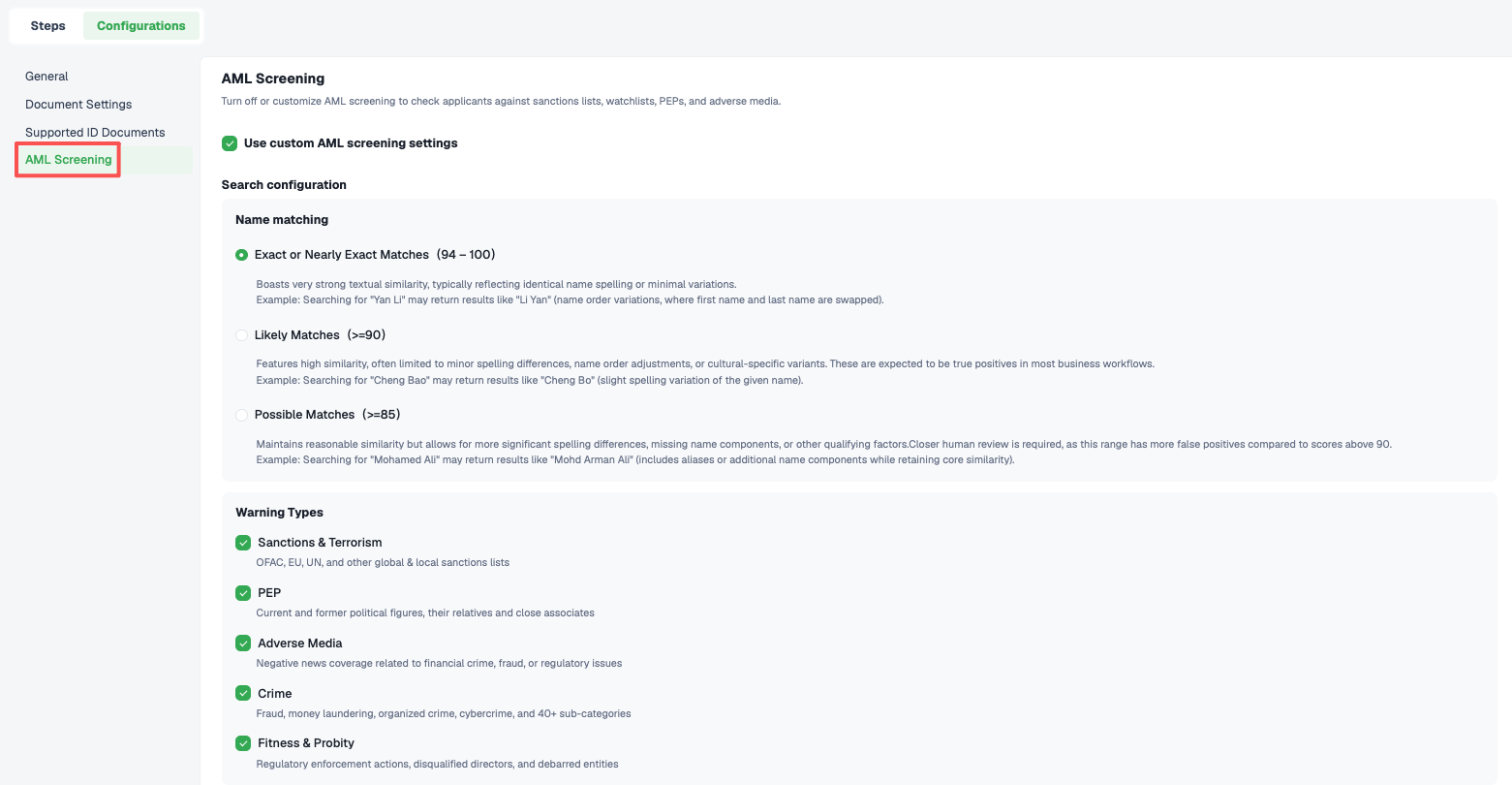
AML Screening
Editing Your Level
Modify existing Level settings by opening the Level and adjusting:
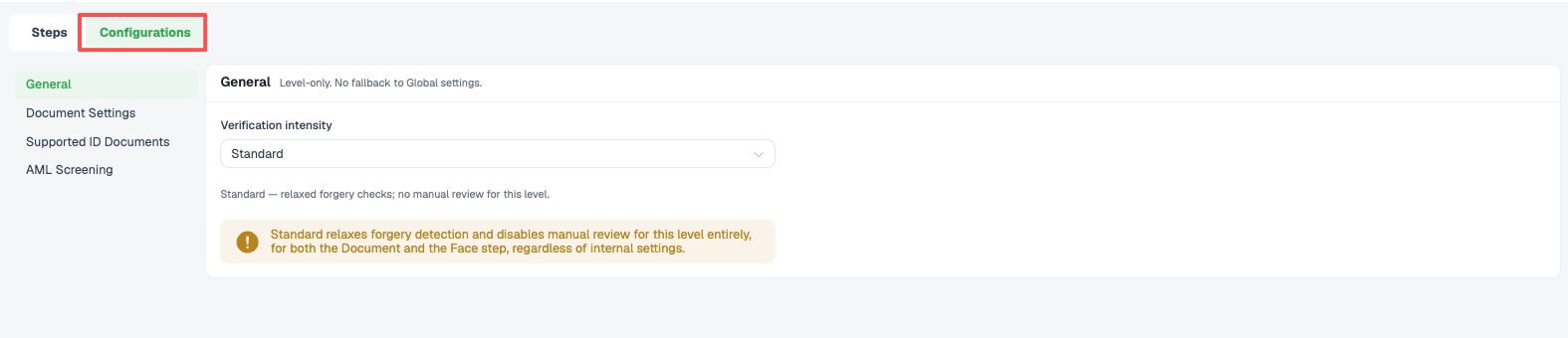
Step configuration
- Plan modifications carefully — Changes to a Level affect all Applications using it, including those in progress
- Create separate Levels for different needs — Create a new Level for each distinct compliance requirement or verification scenario rather than repeatedly modifying existing ones
- Monitor results — Review verification outcomes regularly to optimize your Level configuration
- Keep Levels updated — Periodically review and update Levels to reflect changes in your compliance requirements
Updated about 1 month ago
Did this page help you?